> ## Documentation Index
> Fetch the complete documentation index at: https://docs.bookmarkjar.com/llms.txt
> Use this file to discover all available pages before exploring further.
# Browser Extension
> Learn how to use the browser extension to add bookmarks to Bookmarkjar ®
## Chrome Web Store
The Chrome extension is now available on the Chrome Web Store! Install it with one click:
## Firefox (Manual Installation)
Firefox store version is coming soon. For now, follow the manual installation:
**Chrome:** Install from Chrome Web Store - one click install!
**Firefox:** Download the Firefox extension and follow the manual installation:
* Go to `about:debugging#/runtime/this-firefox`, click "Load temporary add-on...", and select the unzipped folder.
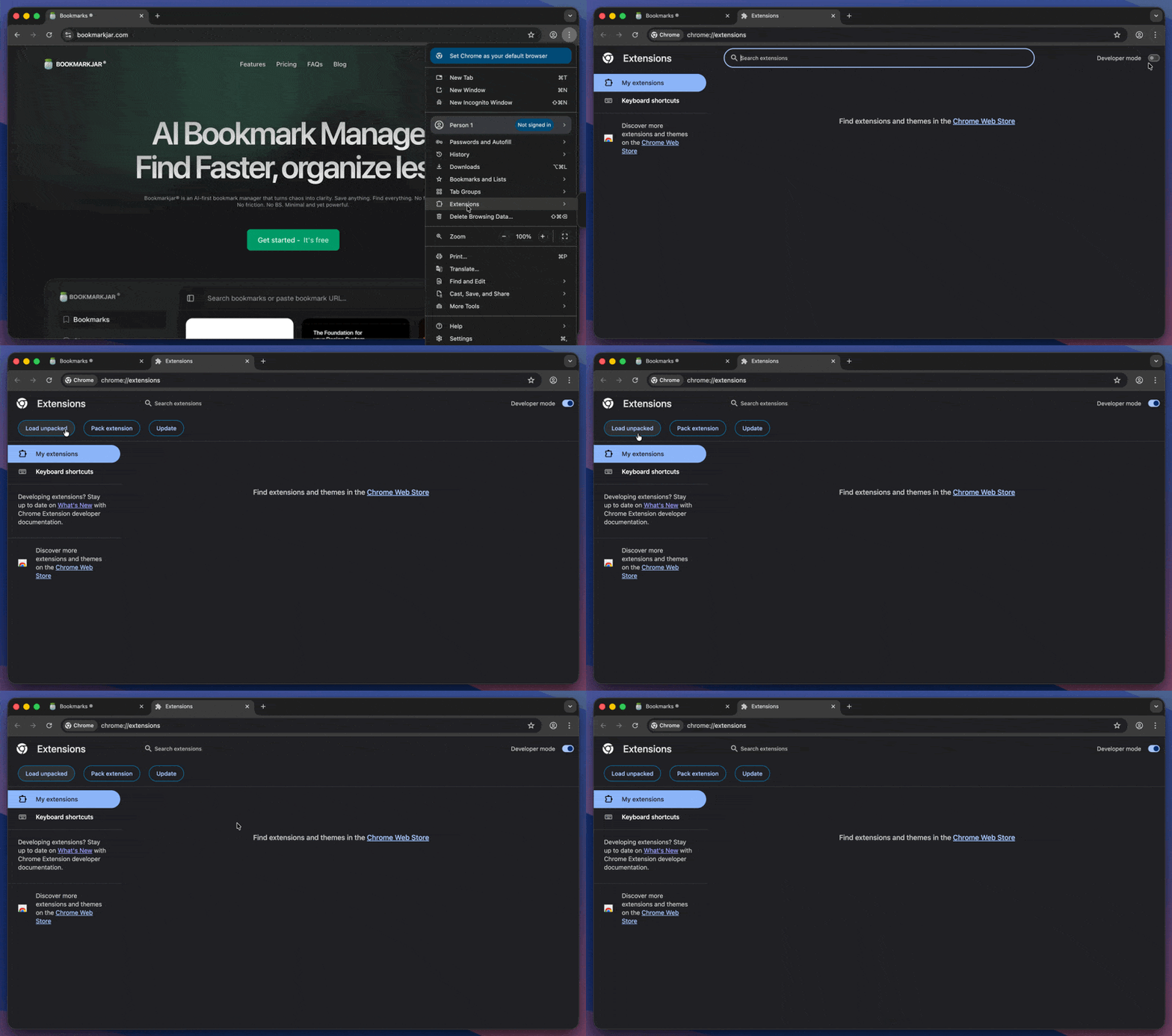
Quick guide:
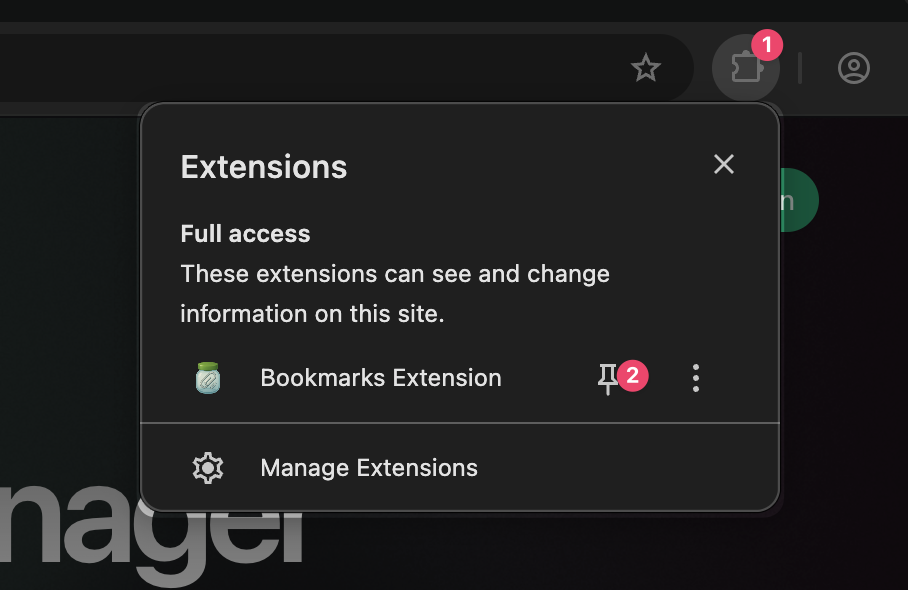
Once you are done you can pin it to your toolbar or access it from the extensions menu.
## Alternative Downloads
If you prefer to download the extension directly instead of using the store:
* **Chrome/Chromium**: Download Chrome Extension (.zip)
* **Firefox**: Download Firefox Extension (.zip)
**Chrome/Chromium browsers:**
1. Download and unzip the extension
2. Go to `chrome://extensions`
3. Enable "Developer mode" (toggle in top right)
4. Click "Load unpacked" and select the unzipped folder
**Firefox:**
1. Download and unzip the extension
2. Go to `about:debugging#/runtime/this-firefox`
3. Click "Load Temporary Add-on..."
4. Select any file from the unzipped folder
## Browser Extension Features
The browser extension allows you to:
* Sync the latest 500 bookmarks from your current browser bookmarks.
* Sync the latest 200+ X (Twitter) bookmarks.
* Add the current page as a bookmark.
* Add Selected text as a bookmark.
### Native Bookmark Integration
The extension seamlessly integrates with your favorite platforms:
**Twitter/X**: Click the native bookmark button on any tweet and it will automatically be saved to Bookmarkjar. No extra steps needed - just use Twitter as you normally would.
**Instagram**: Click the save button on any post and it will be added to your Bookmarkjar collection. Works with all Instagram languages.
Native bookmark integration works in the background. You'll see tweets and posts appear in your Bookmarkjar dashboard automatically after clicking the platform's save/bookmark button.
See Creating bookmarks for keyboard shortcuts and other quick‑add options.
 Once you are done you can pin it to your toolbar or access it from the extensions menu.
 ## Alternative Downloads
If you prefer to download the extension directly instead of using the store:
* **Chrome/Chromium**: Download Chrome Extension (.zip)
* **Firefox**: Download Firefox Extension (.zip)
## Alternative Downloads
If you prefer to download the extension directly instead of using the store:
* **Chrome/Chromium**: Download Chrome Extension (.zip)
* **Firefox**: Download Firefox Extension (.zip)