

Overview
Digests deliver curated summaries of your recently saved bookmarks directly to your inbox. Instead of manually browsing through everything you’ve saved, get a concise recap highlighting what matters most.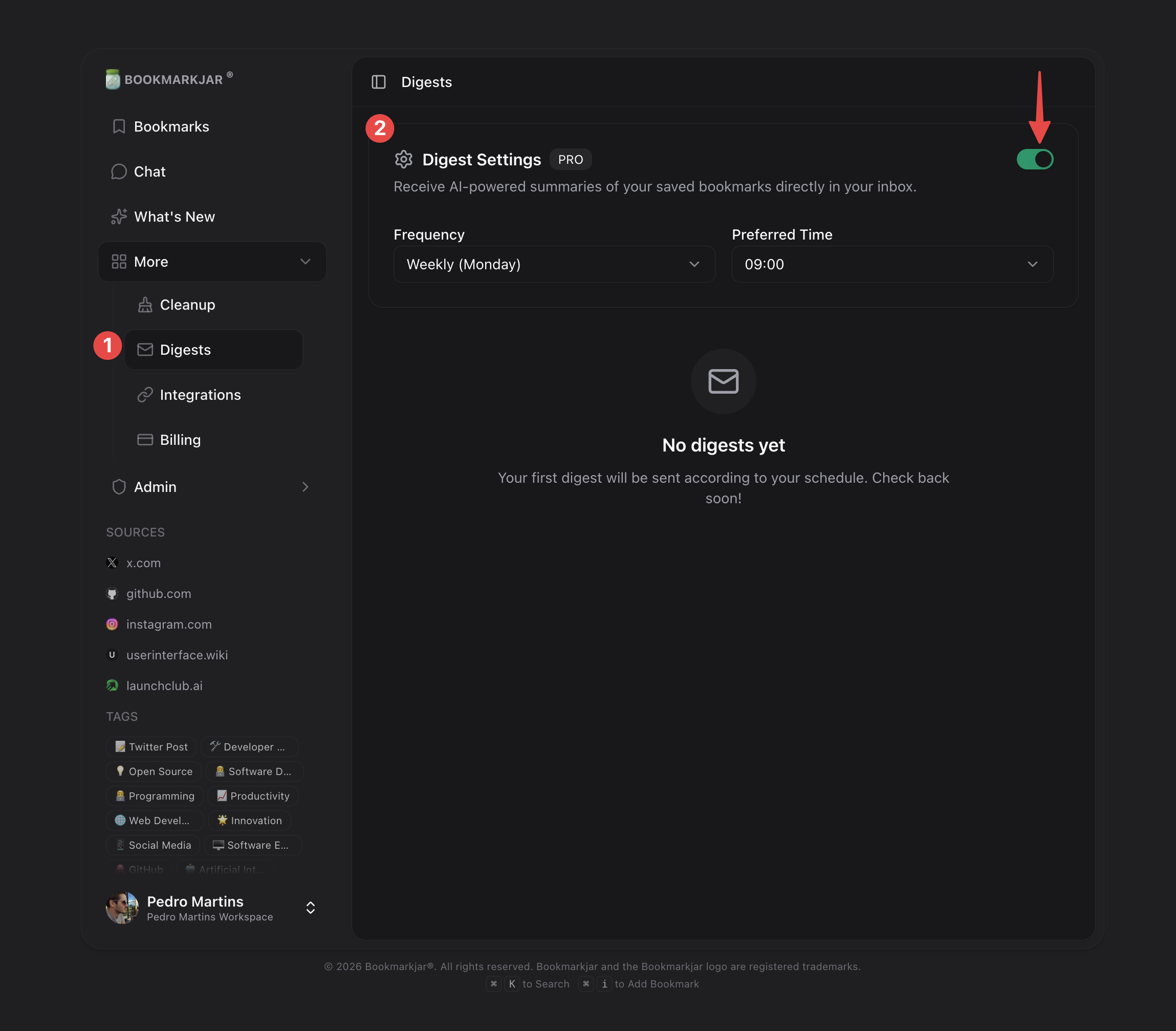
Digests are a Pro feature. Upgrade to receive scheduled bookmark summaries.
How It Works
- Open Digest Settings — Click Settings in the Digests page header (or Enable Digests in the empty state)
- Enable Digests — Toggle Email digests on in the settings dialog
- Choose Frequency — Weekly, monthly, bimonthly, or quarterly
- Set Delivery Time — Pick when you want to receive your digest
- Save Settings — AI analyzes your recent bookmarks and sends a curated email on schedule
Setting Up Digests
Navigate to Dashboard → Digests and open Settings in the page header to configure your preferences. The settings open in a dialog, so you can adjust them from anywhere on the Digests page.Frequency Options
Delivery Preferences
- Preferred Time — Choose your ideal delivery hour (e.g., 9:00 AM)
- Timezone — Detected from your browser and saved with your settings
What’s Included in a Digest
Each digest contains:- Bookmark Count — Total bookmarks saved since last digest
- Top Categories — Most common topics from your saves
- Highlighted Items — AI-picked notable bookmarks with summaries
- Quick Links — Direct links to view full bookmarks in your dashboard
Digest History
View all your past digests from the History section. Each entry shows:Tips for Better Digests
Keep Saving Regularly
The more bookmarks you save, the richer your digest summaries become.
Use Tags
Tagged bookmarks help the AI categorize content more accurately in your digest.
Frequently Asked Questions
Can I get digests on the free plan?
Can I get digests on the free plan?
No, digests require a Pro subscription. Free users can still browse and search all their bookmarks manually.
What if I have no new bookmarks?
What if I have no new bookmarks?
If you haven’t saved anything since your last digest, you’ll receive a brief “no new bookmarks” notification instead of an empty digest.
Can I change the frequency after setting it?
Can I change the frequency after setting it?
Yes! Open Settings on the Digests page, pick a new frequency, and click Save Settings. The change takes effect from your next scheduled digest.
Why didn't I receive my digest?
Why didn't I receive my digest?
Check your spam folder first. If it’s not there, verify your email in account settings and ensure digests are enabled. Failed deliveries appear in your digest history.